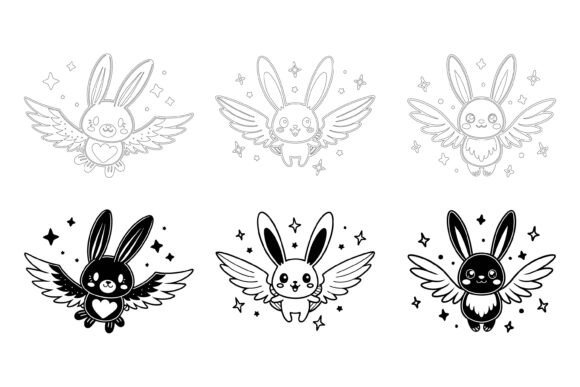
Bringing Your Projects to Life with Rabbit Illustrations
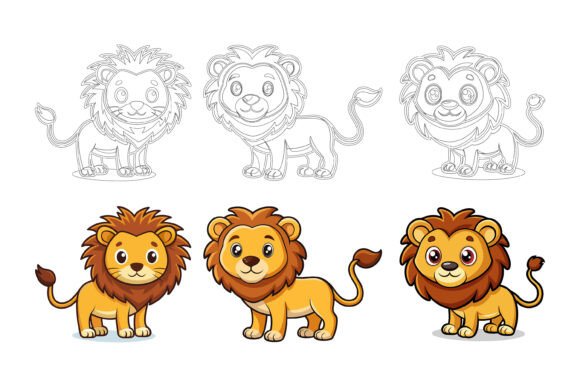
Creating vibrant, professional-looking materials doesn’t require years of design training. Whether you're updating a blog, launching a small business website, or designing a presentation, the right visual assets can transform your work. This is where our special AI EPS collection featuring rabbits and other themes comes into play. It is a curated set of digital illustrations built to empower your creativity.
What Exactly Are These AI EPS Collections?
In simple terms, these collections are bundles of high-quality vector illustrations. The “AI EPS” refers to the primary file formats: Adobe Illustrator (.AI) and Encapsulated PostScript (.EPS). These are the gold standard for scalable, editable artwork. Unlike a standard JPG image that can become pixelated when enlarged, a vector illustration can be resized infinitely without losing any detail. Each collection also includes JPG files for quick, ready-to-use placement. This dual-format approach gives you flexibility: use the JPG for speed, and dive into the AI/EPS files for customization.
The core purpose is to provide you with a complete, coherent visual toolkit. Instead of searching for disparate icons and graphics that might not match in style or quality, you get a unified set. This ensures consistency across your entire project, from the smallest icon to a large banner graphic.
The Practical Value for Everyday Creators
So, why might this be interesting to you? Consider the common hurdles in content creation: limited time, budget constraints for custom design, or a lack of advanced software skills. These illustration sets directly address these challenges.
First, the neatly organized file and layer structure is a game-changer. Each element within an illustration, like a rabbit’s ear, a piece of background foliage, or a decorative element, is often on its own layer. This means you can easily hide, modify, or rearrange parts without affecting the whole. For a beginner, this removes the intimidation of editing complex artwork. For a professional, it streamlines integration into larger projects.
The perfection in details and consistency across the set means every graphic shares the same artistic style, line weight, and level of detail. This is invaluable for building a recognizable brand identity or creating a polished, professional document. Your infographic won’t look like a patchwork of mismatched clips; it will look like a thoughtfully designed piece.
Where You Can Use These Illustrations
The applications are vast, touching both personal and professional realms. Their suitability for print, web, symbols, apps, and infographics makes them universally useful.
- Entrepreneurs & Small Business Owners: Use them to create cohesive branding for your website, social media posts, printed flyers, and product packaging. A charming rabbit illustration could become a memorable logo for a family-friendly brand.
- Bloggers & Marketers: Elevate your articles and email newsletters. Break up text with engaging visuals, create custom featured images for posts, or design unique call-to-action buttons.
- Educators & Freelancers: Design more engaging presentations, handouts, or online course materials. Visual aids improve comprehension and retention.
- Hobbyists & Casual Users: Personalize your digital spaces—create custom invitations, holiday cards, or decorative art for personal projects. The ability to edit it, change colors, and modify the icon so easily means you can tailor everything to your specific theme or color palette.
Key Considerations Before You Begin
While these collections are designed to be accessible, having a basic understanding of how vector software works will unlock their full potential. Adobe Illustrator is the most common program for editing the .AI and .EPS files, but many alternative, sometimes less expensive, vector programs (like Affinity Designer or even free online tools) can also open these formats. The set is designed for both Mac and Windows users, so compatibility is broad.
Think about your project’s scope. If you only need a few static images for a one-time use, the included JPGs might suffice. However, if you anticipate needing to adapt, resize, or repurpose the graphics over time—for example, using a rabbit illustration across a website, a mobile app icon, and a large poster—then leveraging the editable vector files is the smart, long-term choice. This adaptability is a core part of their value.
Making the Most of Your Digital Toolkit
Start simple. Don’t feel pressured to edit every graphic immediately. Perhaps begin by using a ready-made JPG in a blog post. Next, open an AI file in your software and try a straightforward change: alter the color of a primary element. This hands-on experience, without risk, builds confidence. Because the files are so well-organized, these initial edits are typically intuitive.
Remember, these illustrations are not just decorative; they are functional. A well-designed set can serve as a library of symbols for an app interface or a consistent set of data visualization elements for infographics. This saves you the immense time it would take to create each element from scratch, allowing you to focus on your core content or message.
Ultimately, the special AI EPS collections offer a bridge between idea and execution. They provide the quality and professionalism of custom design, packaged with the accessibility and flexibility that modern creators need. By solving the problem of visual consistency and editable quality, they become more than just graphics—they become a foundational tool for your creative and professional expression.