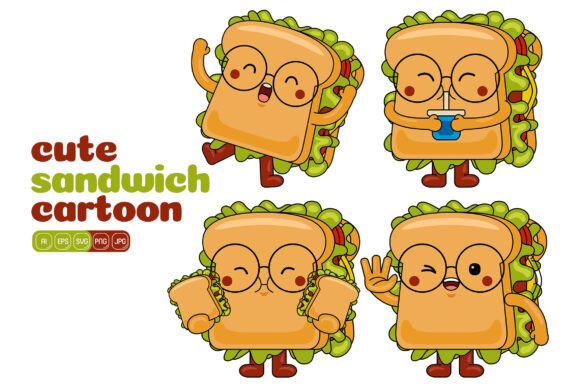
Cute Sandwich Mascot Vector Pack 03: Your Toolkit for Versatile Design
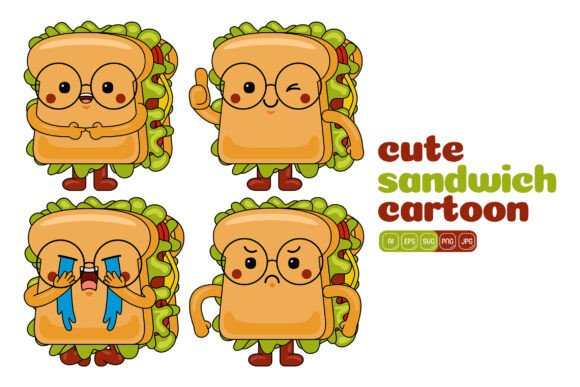
You’ve just acquired a set of 100 vector illustrations featuring a charming sandwich mascot. This isn’t just a collection of cute graphics; it’s a foundational toolkit for visual communication. The Cute Sandwich Mascot Vector Pack 03 is designed for utility, offering high-resolution, fully editable vectors that serve as your creative starting blocks. Each element—from the mascot’s cheerful expressions to sandwich components and playful accessories—is a separate, scalable shape. This technical capability translates directly into creative freedom: you can resize, recolor, deconstruct, and reassemble these elements to fit the precise needs of your project, without ever losing quality.
Beyond a Single Image: A System for Creation
What makes this pack particularly interesting is its inherent flexibility. Instead of providing one static mascot illustration, it gives you the components to build countless variations. Think of it not as a finished poster, but as a box of specialized Lego bricks for design. You receive the files in multiple formats—AI, EPS, SVG, PDF, JPG, and PNG—ensuring compatibility whether you’re working in Adobe Illustrator for deep editing, placing graphics into a website via SVG, or needing a transparent PNG for a quick social media post.
This system allows you to maintain consistency across different media while avoiding repetitiveness. For a small business owner running a café, this means you can use a version of the mascot on your flyers, a slightly different pose on your landing page, and an isolated element as an icon on your menu, all while keeping a cohesive brand character. The flat design style ensures the graphics remain clear and modern, whether printed on a small business card or displayed on a large digital banner.
Practical Applications for Diverse Creators
The applications for these vectors are as varied as the professions of the people using them. Let’s move past the generic “use it for social media” and explore specific, project-driven ideas.
For Marketers & Content Creators
Engaging an audience requires fresh visual content. With this pack, a blogger writing about healthy lunches can create custom infographics. Break down the sandwich mascot into its food layers—lettuce, tomato, cheese—and use each as a visual anchor for a nutritional fact or recipe step. Change the colors to match your blog’s palette. For social media marketers, the ability to quickly generate variations is key. Create a series of posts where the mascot holds different objects or displays different emotions, telling a mini-story over a week to promote a new sandwich special. The 3000x3000 pixel base size ensures your graphics are crisp even when cropped for different platform requirements.
For Educators & Freelancers
Visual aids improve comprehension and retention. An educator creating materials about nutrition, food groups, or even entrepreneurship (think a “building your business” metaphor) can use these vectors to design worksheets, presentation slides, or handout illustrations. By changing colors, you can categorize elements: make all vegetable components green, protein components red, etc., for clear educational distinction. Freelancers designing for clients can efficiently adapt the pack. A freelance designer might use the core mascot for a client’s website hero image, then extract the individual sandwich ingredients to create a set of custom icons for the client’s app, ensuring a unified visual theme across the entire project without starting from scratch for each asset.
For Entrepreneurs & Small Business Owners
Building a brand identity on a budget requires smart, adaptable resources. This vector pack can serve as the visual cornerstone for a food-related business. Use the mascot as your friendly logo. Then, for printing material like loyalty cards or packaging stickers, create simplified versions using just the mascot’s head or a signature pose. The key is to establish a few core “rules” for your use: perhaps you always use a specific color for the mascot’s outline and a particular style for its eyes. This creates a recognizable style guide, making all your materials—from your website banner to your printed menu—feel professionally coordinated, even as you create different compositions for each format.
Creative Direction and Customization Strategies
To move from simply using the assets to creating truly original illustrations, consider these approaches.
- Thematic Recoloring: Don’t just change colors randomly. Recolor the entire mascot and its elements to match a seasonal campaign (pastels for spring, warm oranges for autumn) or a specific cultural event.
- Element Combination: Combine the mascot with other elements from the pack or from your own library. Place it in a scene, have it interact with other objects, or duplicate and rearrange components to create patterns or borders for your website.
- Focus on Expression: The pack likely includes mascots with varied expressions. Use a joyful one for positive marketing messages, a thoughtful one for educational content, or a celebratory one for announcement banners. Match the character’s emotion to your communication goal.
When customizing, keep your end audience in mind. If designing for children, brighter colors and simpler compositions might be best. For a professional corporate blog about workplace catering, a more subdued color palette and cleaner, less-busy illustrations would be more effective. The vector format empowers you to make these nuanced adjustments easily.
Maintaining Clarity and Effectiveness
The power of easy editing also requires a bit of disciplined planning to ensure your final results are effective. When resizing, remember that extremely complex compositions with many small elements might lose detail when scaled down for a favicon, so simplify for smaller formats. When changing colors, consider contrast and readability, especially for text overlays or when used on busy backgrounds.
For large projects, such as designing a series of infographics, it’s useful to create a master file in Adobe Illustrator where you save your most-used customized versions—your “brand mascot,” your key ingredient icons—as separate artboards. This becomes your personal project template, saving time and guaranteeing consistency across all deliverables. The goal is to work smarter, using the Cute Sandwich Mascot Vector Pack 03 as a reliable foundation upon which you build your unique visual ideas.
From Asset to Original Illustration
The final step is moving beyond adaptation into creation. Use the vectors as drawing components. Trace and modify shapes to create new, related elements. Perhaps you use the style of the mascot’s eyes to design a new character for another project. The pack provides not just graphics, but a cohesive aesthetic style—flat, friendly, geometric—that you can extend. This is how a hobbyist or a freelance illustrator can leverage the pack to speed up their workflow while still producing original artwork. You are not limited to the 100 illustrations; you are empowered by the design language they provide.
In essence, the Cute Sandwich Mascot Vector Pack 03 transforms from a product you purchase into a process you control. It supports the practical need for high-quality, multi-format assets while inviting the creative exploration of color, composition, and application. It serves the marketer needing quick variations, the entrepreneur building a brand, the educator crafting materials, and the designer seeking a flexible starting point. By approaching it as a modular system, you can generate the specific visuals your project demands, ensuring your message is not only delivered but visually embraced.